Family site
Family site
Family site




What is CRM? This is a common question many businesses ask when they want to improve sales performance and enhance customer relationships. In this article, GMO-Z.com RUNSYSTEM provides a complete A–Z explanation of CRM, helping businesses clearly understand what CRM is, its benefits, and why CRM software has become an essential tool for modern organizations.
Summary CRM (Customer Relationship Management) is customer relationship management software. It allows businesses to store all customer information in one centralized system, automate sales, marketing, and customer support processes, increase revenue, and build long-term customer loyalty. |
Below is an overview that helps businesses understand what a CRM system is, its role, and the key benefits of customer relationship management software.
A CRM system (Customer Relationship Management system) is a customer relationship management platform that helps businesses connect with, track, and engage customers throughout the entire customer journey from first contact and nurturing to closing deals and repeat purchases.
A CRM system centralizes all customer data into a single platform, enabling seamless sales management, customer service, and marketing execution in a synchronized and efficient way.
CRM software is designed for all departments involved in managing and interacting with customers, including sales teams, marketing teams, customer support, and company leadership.
Primary Users of a CRM System
Other CRM Users
Business development and recruitment teams: Store potential customer or candidate data, track opportunities, and manage all interactions in one CRM system.
A CRM system is suitable for any business that wants to optimize customer relationships. It is especially valuable for companies that are scaling operations or managing customers across multiple communication channels.
The CRM system has evolved for more than 30 years, transitioning from manual customer management to cloud-based and Social CRM solutions. Below are the key milestones in the development of Customer Relationship Management (CRM):
1999:
Mobile CRM solutions appeared, such as Siebel Sales Handheld, allowing sales teams to access customer data on mobile devices.
Salesforce launched the Cloud CRM (SaaS CRM software) model, making CRM systems more accessible to small and medium-sized businesses.
2003-2004:
Microsoft released Microsoft Dynamics CRM after acquiring Navision, strengthening enterprise CRM capabilities.
Open-source CRM solutions such as SugarCRM emerged, enabling businesses to develop customized CRM platforms.
CRM (Customer Relationship Management) is customer relationship management software designed to help businesses build, manage, and maintain strong, long-term customer relationships. A CRM system centralizes customer data, optimizes sales processes, enhances customer service, and automates marketing activities to drive lead generation and revenue growth.
ERP (Enterprise Resource Planning) is enterprise resource planning software that automates and manages internal business operations and resources. An ERP system creates a unified data environment across departments, covering sales management, manufacturing, human resources, finance, inventory, logistics, and project management.
Factor | ERP | CRM |
| Structure | Includes multiple modules such as Accounting, Manufacturing Management, Purchasing, Sales & Distribution, Project Management, Human Resources, Services, Inventory, Tax Reporting, and Business Management | Focuses on customer and sales team management, including Lead Generation, Telesales Management, Customer Management, Sales Pipeline, Sales Activities, and Customer Service |
| Objective | Improve operational efficiency and optimize costs across departments | Increase revenue by leveraging customer data, retaining existing customers, and expanding customer loyalty |
| Cost | High cost, complex implementation, requires coordination across multiple departments | Lower cost, faster implementation, easier data synchronization |
| Operational Process | Manages many departments; digitizing all information requires significant time and effort | Manages fewer departments; faster and easier data integration |
| Target Businesses | Medium to large enterprises | Businesses of all sizes, especially service-oriented companies |

Below are the key reasons why CRM software has become an essential tool for improving sales performance, marketing effectiveness, and customer service quality.
Customer information is one of a company’s most valuable assets. A CRM system provides a unified, 360-degree view of customers through intuitive, customizable dashboards. Businesses can easily track purchase history, order status, service issues, and other critical customer data in one centralized platform.
Studies show that 70% of customers expect sales representatives to understand their purchase history. By maintaining a single source of truth, CRM software enables consistent, high-quality customer experiences across all touchpoints.
CRM software reduces administrative workload by automating tasks such as lead tracking, email follow-ups, note-taking, and appointment scheduling, allowing sales teams to focus on revenue generation. Most modern CRM systems offer anytime, anywhere access via desktop or mobile devices, providing flexibility and real-time visibility.
By storing all customer data in one CRM platform, businesses minimize the risk of data loss, miscommunication, and missed sales opportunities.
CRM automates customer engagement activities such as call center responses, SMS notifications, and personalized email campaigns tailored to specific customer segments. All inquiries, feedback, and service requests are logged within the CRM system, improving service quality and response time.
This structured approach also enables effective cross-selling and up-selling strategies, leveraging loyal customers who typically spend up to 33% more than new customers.
A customer relationship management (CRM) system consolidates purchase and interaction data, helping teams better understand customer behavior, needs, and expectations. CRM bridges sales, marketing, and customer service, improving collaboration and information sharing.
As a result, businesses can identify product gaps, refine marketing campaigns, and deliver personalized offers based on real customer data rather than assumptions.
When integrated with AI, CRM software enables deeper personalization, accurate sales forecasting, and automation of tasks such as email drafting, marketing messages, and product descriptions. AI-powered CRM systems help businesses unlock the full value of customer data, reduce operational costs, and improve cross-department efficiency leading to higher overall performance.
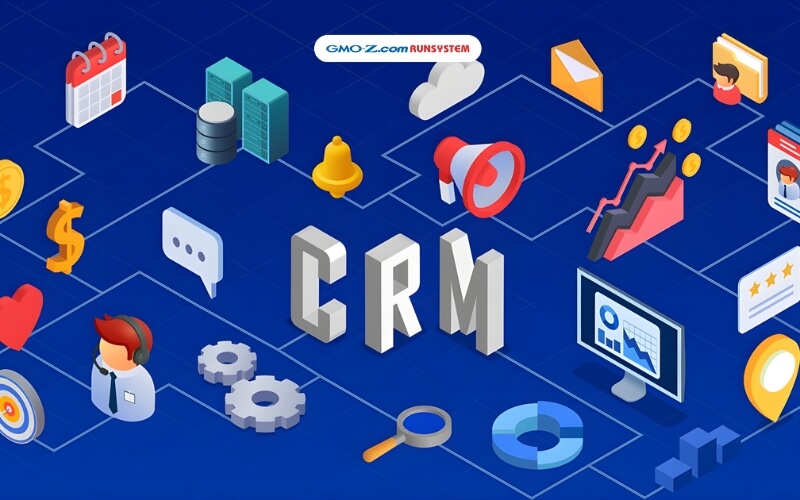
Below are real-world examples of how CRM systems automate business processes, save time, and improve efficiency across different functions.
Here’s how CRM software helps sales teams manage leads, sales opportunities, and customer interactions more effectively.
Below are examples of how CRM helps marketing teams analyze data, personalize campaigns, and optimize marketing outcomes.
Segmentation and personalized experiences: CRM ensures the right message reaches the right audience at the right time, boosting engagement and conversion rates. For example, customers who were inactive but opened a promotional email can be tagged as “re-engaged” and receive follow-up messages tailored to their renewed interest.
Personalization significantly increases sales potential. According to McKinsey, 76% of consumers are more likely to purchase from brands that personalize, and 78% are more likely to buy again.

Below are the most common ways to classify CRM systems, based on different criteria. Understanding these categories helps businesses choose the right CRM solution that fits their size, industry, and operational needs.
CRM systems can be categorized by underlying technology platform: on-premises, cloud-based, open-source, or integrated.
On-Premises CRM: An on-premises CRM system is installed and operated directly on a company’s internal servers. This type of CRM software gives businesses full control over their data and system infrastructure, ensuring a high level of security, stability, and customization.
However, on-premises CRM systems typically require significant IT resources for deployment, maintenance, and upgrades.
Cloud CRM (SaaS CRM Software): Cloud CRM, also known as SaaS CRM software, stores data on the service provider’s servers and is accessed via the internet. This CRM platform is quick to deploy, easy to use, and highly scalable.
Cloud-based CRM systems are ideal for businesses with limited IT resources, as they offer flexible subscription-based pricing (monthly or annual) and automatic updates.

CRM systems can also be tailored based on business type, such as B2B, B2C, SMEs, or large enterprises.
Each type of CRM system comes with different strengths and limitations in terms of security, functionality, and integration capabilities. Businesses should select a CRM based on company size, industry, and real operational needs to maximize effectiveness.
Below is an overview of the CRM process, from lead generation to customer care, analysis, and loyalty building, illustrating how CRM systems work in practice.
This is the first stage of the CRM workflow, where sales teams identify and engage potential customers who have a demand for the company’s products or services.
Key activities include sending emails, telesales outreach, quoting, contract signing, transaction processing, and accounts receivable reporting.
Role of the Account Manager: Once a contract is signed, the Account Manager takes ownership of customer management and execution. Their responsibilities include consulting clients, managing delivery plans, collecting payments, and handling outstanding balances.
Account Managers typically manage a moderate number of clients, focusing on long-term relationships and identifying new business opportunities within existing accounts.
A CRM system enables businesses to collect comprehensive customer data, including demographics, purchasing behavior, preferences, and interests. This data is used to segment customers, identify needs, and develop effective marketing and communication strategies.
CRM software ensures that customer information remains accurate and up to date, reducing unnecessary outreach and optimizing customer engagement processes. As a result, marketing teams can improve creativity and analytical performance, while sales teams can easily track interactions, update data, and adapt sales approaches for each customer.
The goal of CRM Services is to increase customer satisfaction, strengthen loyalty, and drive additional revenue. Key activities include:
Effective CRM service management helps build long-term customer relationships. When customers are satisfied with post-sales support, they are more likely to continue using the product or service and recommend the business to others.
CRM Analysis involves evaluating customer data to gain insights into behavior, needs, and priorities. The objective is to generate actionable insights that support CRM strategy optimization and enhance the overall customer experience.
The ultimate goal of customer relationship management (CRM) is customer retention and loyalty. Businesses can implement loyalty programs, discounts, reward points, and exclusive offers to encourage repeat purchases and referrals.
The Two Core Stages of the CRM Process
A complete CRM system typically operates across two main stages:
To achieve optimal results, businesses must establish clear CRM processes, execute them consistently, and monitor performance regularly.
Many businesses face significant challenges when implementing a CRM system, ranging from employee resistance and data integration issues to unclear objectives. As a result, CRM implementation failure rates can reach up to 50%.
User resistance: Employees who are used to legacy workflows may resist adopting a new CRM software. Concerns about complex interfaces, lack of proper training, or increased workload often lead to low user adoption.
Data and system integration: Customer data is frequently scattered across departments, making it difficult to synchronize with existing ERP systems or other tools. Successful integration often requires experienced IT resources and careful system planning.
Costs and resource constraints: Hidden costs such as system upgrades, data migration, and employee training may exceed initial expectations, while tangible business benefits may not appear immediately.
Lack of cross-department collaboration: When marketing, sales, and customer service teams operate in silos, the effectiveness of the customer relationship management (CRM) system is significantly reduced.
Unclear goals and strategy: Without a clear CRM strategy and measurable objectives, businesses struggle to evaluate ROI and align CRM initiatives with business outcomes.
Solution: To implement CRM successfully, businesses should establish a detailed roadmap, invest in proper user training, and select a CRM provider that offers strong implementation and ongoing support.
With breakthroughs in artificial intelligence, AI-powered CRM systems are transforming how businesses manage customer relationships. AI enables process automation, deep customer data analysis, personalized experiences, behavior prediction, and enhanced engagement.
AI also helps identify new business opportunities, optimize marketing strategies, and deliver 24/7 customer support through chatbots, ultimately increasing customer satisfaction and business performance.

GMO-Z.com RUNSYSTEM is a member of Japan’s GMO Internet Group, with over 20 years of experience in technology and digital transformation. The company delivers advanced solutions such as CRM, eKYC, OCR, AI chatbots, and big data analytics, serving both Vietnamese and Japanese markets.
WOWCRM is the next-generation CRM platform developed by GMO-Z.com RUNSYSTEM. Integrated with AikoAI, WOWCRM automates sales processes, provides comprehensive customer data analysis, predicts future needs, and personalizes customer experiences.
WOWCRM can reduce manual work by up to 40%, increase productivity by 70%, and meet stringent security standards required by the banking and financial sectors.
WOWCRM has been successfully implemented at Vietnamese banks such as BAC A BANK and ABBANK, automating up to 90% of sales processes, reducing data entry time by 40%, and significantly improving customer management efficiency.
As a “Make in Vietnam” CRM solution, WOWCRM plays a key role in accelerating digital transformation and supporting sustainable growth in the financial and banking sector.
A CRM tree is a visual model that represents the core components and functions of a customer relationship management (CRM) system. It typically includes stages such as lead management, customer relationship building, opportunity handling, and post-sales support. This model helps businesses manage customer data and processes systematically, improving operational efficiency and customer experience.
A CRM strategy is a comprehensive plan for managing and optimizing customer relationships. Its goal is to increase customer satisfaction, loyalty, and revenue through personalized interactions and optimized sales, marketing, and customer service processes.
Building a CRM strategy involves setting objectives, analyzing customer data, defining the customer journey, implementing CRM tools, and continuously monitoring and optimizing performance.
CRM stands for Customer Relationship Management.
It refers to both a business strategy and a set of tools that help organizations manage customer data, automate sales and marketing activities, improve customer service, and maximize revenue through personalized engagement.
CRM solutions are flexible and scalable, benefiting businesses of all sizes and models:
A CRM system is suitable for any organization or individual managing customer relationships—from startups to large corporations.
CRM systems are used across industries, from education and retail to B2B and B2C, enabling unified data management and improved business performance.
Both are customer relationship management tools, but they differ in deployment and usage.
Criteria | CRM Online (Cloud CRM) | CRM Offline (On-Premises CRM) |
| Access | Requires internet; accessible anywhere | No constant internet required; limited to local installation |
| Security | Provider-dependent; encrypted cloud storage | Full local control; risk of data loss if hardware fails |
| Updates & Maintenance | Automatic and frequent | Manual; time- and resource-intensive |
| Cost | Subscription-based with recurring fees | High upfront cost; lower recurring fees |
| Flexibility | High; supports remote work and multi-device access | Limited; device-dependent |
| Internet Dependency | High | Low |
Understanding what CRM is and implementing it correctly can significantly improve customer experience and optimize sales and marketing processes. If you are looking for a powerful, easy-to-deploy CRM platform tailored to Vietnamese businesses, WOWCRM by GMO-Z.com RUNSYSTEM is a strong option, combining AI, automation, and intelligent data utilization to deliver sustainable performance gains.