Family site
Family site
Family site



Approvals wait in email threads. Managers merge reports by hand, and the numbers that matter most live in spreadsheets. That last habit is riskier than it looks: a 2024 literature review in Frontiers of Computer Science reports that 94% of spreadsheets used in business decision-making contain errors.
The manual effort adds up, too. U.S. professionals report spending more than nine hours a week on manual data entry, a Parseur survey of 500 workers found. And buying more SaaS (software as a service, rented by subscription) won't fix this on its own; the average company already manages 305 SaaS apps, according to Zylo.
Business application development turns fragmented, manual processes into structured, measurable systems. So don't open with "What application should we build?" Ask "Which business process is valuable enough to systemize?" This guide shows you how to answer that, pick an approach, and deliver an application people actually use.
Back to topBusiness application development is the process of designing, building, integrating, deploying, and improving software that supports a specific business process, workflow, decision, or operational function.
The key word in that definition is "specific." A business application earns its place by improving one identifiable part of how your company operates. Two questions make the definition practical: what qualifies an app as a business application, and how does it differ from a consumer app?
Most business applications share seven traits. A business application typically:
In practice, a business application might look like one of these:
The table below compares the two across six factors:
Factor | Business application | Consumer application |
Primary purpose | Run or improve a business process | Solve an individual consumer need |
Users | Employees, partners, customers, managers | General consumers |
Data | Operational and business data | Primarily user-centric data |
Permissions | Often complex and role-based | Usually simpler |
Integrations | ERP, CRM, databases, APIs (interfaces that let systems exchange data), legacy (older, still-running) systems | Often fewer enterprise dependencies |
Success | Efficiency, accuracy, adoption, business outcomes | Engagement, acquisition, retention, revenue |
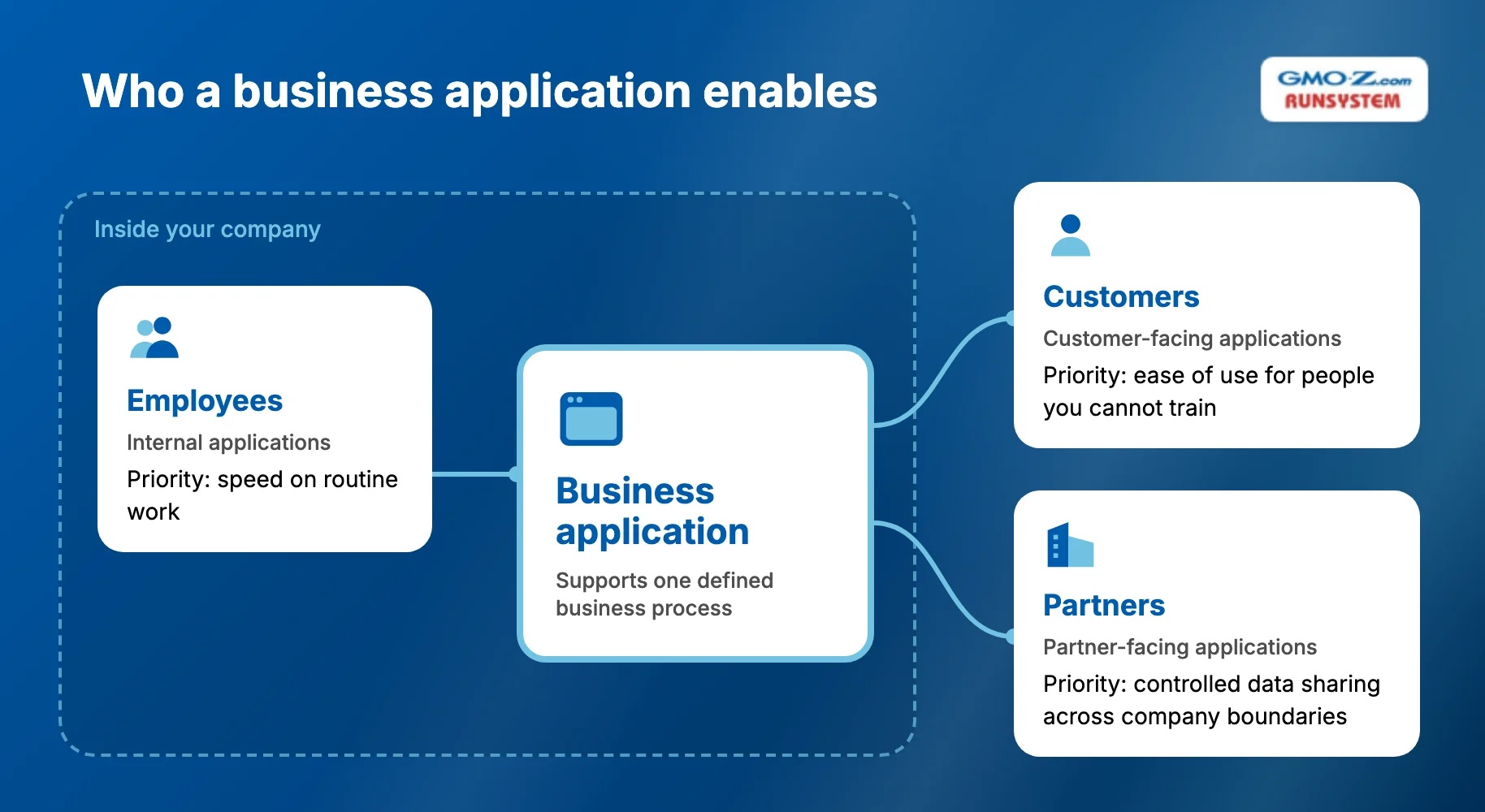
A customer-facing portal can still be a business application. Take a distributor ordering portal: outsiders use it, yet its job is to feed orders into your fulfillment workflow. Purpose decides the category, not the audience.
Back to topBusiness applications solve problems where work depends on information moving between people, steps, or systems. Accounts payable (the team that processes supplier invoices) shows how wide that gap can get.
The average organization takes 8.2 days and $9.84 to process one invoice, according to Ardent Partners. Best-in-class teams process invoices 79% faster than their peers, and they also lean more heavily on automation.
You can group use cases two ways: by business function, or by who the application serves.
Frame each use case as business function → application → outcome. Typical pairings look like this:
Business function | Example application | Typical outcome |
Operations | Workflow or operations system | Faster processing and better visibility |
Sales & service | CRM or customer portal | Better customer information and service |
Inventory | Inventory management app | Improved stock control |
Finance | Billing or expense system | More accurate financial processes |
Management | Reporting/BI (business intelligence) dashboard | Faster decision-making |
Field operations | Mobile field-service app | Real-time updates from the field |
HR | Employee self-service or onboarding app | Less administrative workload |
Partner management | Supplier/distributor portal | Easier external collaboration |
Every entry in the outcome column describes a change in how work gets done. If you can't fill in that column for a proposed app, the project isn't ready.
Grouping applications by the people they enable changes what you design for first:
A business application should exist because a process or decision needs improvement, not simply because your company wants another piece of software.
 Back to top
You need a new business application only when a specific process is costly, frequent, and stable enough to justify a system. Not every inefficient process needs another application. Sometimes a simpler workflow or a clear owner is enough.
Doing nothing has a price, though. Based on the same survey, Parseur estimates that manual data entry costs U.S. companies about $28,500 per employee a year. Three checks help you decide whether a new application is the right response.
The more of these signals one process shows, the stronger the case:
Test the candidate process on three dimensions before anyone writes a requirement:
Feasibility | Core question | What to validate |
Operational | Will the application improve the actual workflow? | Users, process ownership, adoption, workflow fit |
Financial | Is the problem valuable enough to solve? | Current process cost, savings, revenue impact, TCO (total cost of ownership) |
Technical | Can the solution be implemented sustainably? | Data, integrations, architecture, security, skills |
Many feasibility studies skip a fourth check. Change feasibility tests whether your organization will actually adopt the new process, and four questions cover it:
If a process fails this check, the application is likely to fail after launch, however well the software is built.
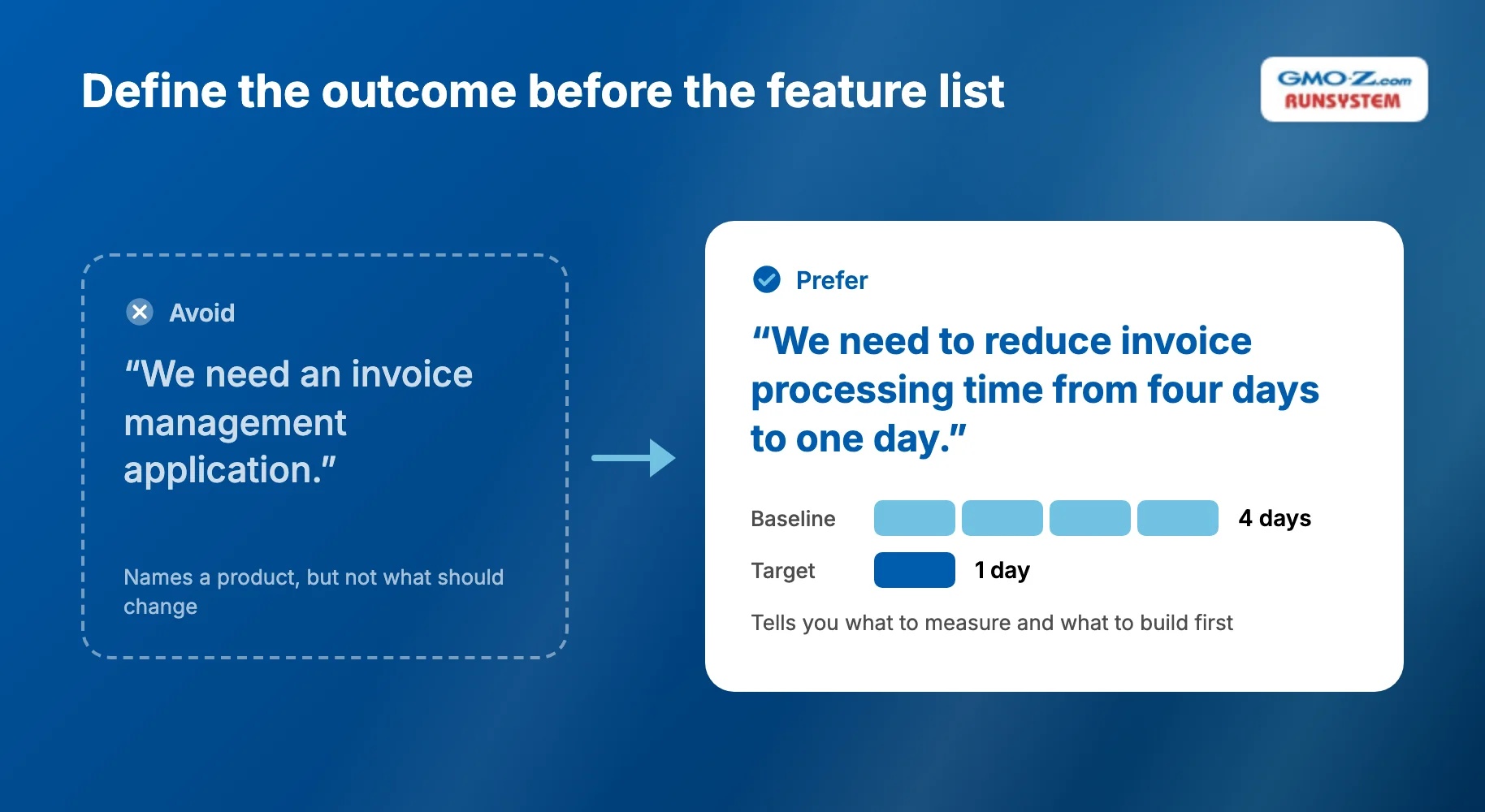
Write your goal as a measurable outcome, not a product name. Compare these two versions:
The second one tells you what to measure and what to build first. Baseline metrics worth recording include:
Application value = Business outcome improved − Cost and complexity introduced
 Back to top
Choose the approach based on how far your process departs from the market standard:
Each approach trades speed against flexibility in a different way:
Approach | Best for | Main advantage | Main limitation |
Off-the-shelf SaaS | Standardized processes | Fast deployment | Business must largely fit the product |
Configure/customize existing software | Mostly standard workflows with some variation | Less effort than custom development | Customization limits |
Low-code/no-code | Relatively straightforward workflows and internal tools | Faster delivery | Platform constraints and lock-in |
Custom development | Complex or strategically important workflows | Maximum flexibility and control | Higher development responsibility |
No-code tools push the low-code idea further, so business users can build simple apps without any programming. Both carry the same trade-off. That's lock-in: leaving the platform later can require a costly rebuild.
Buying off-the-shelf software fits when:
Basic HR management, standard accounting, and generic CRM needs usually fall here. Buying still needs governance, though.
Here's why. Business units now control 81% of SaaS spend, and 36% of SaaS licenses go unused, according to Zylo's 2026 SaaS Management Index. Every subscription bought without oversight adds one more place where process data can fragment.
Configuration or low-code fits when:
Low-code is increasingly a business-led choice. Back in 2022, Gartner forecast that developers outside formal IT departments would account for at least 80% of low-code users by 2026, as reported by InfoWorld. Business-led delivery can move faster, but you still need IT to set the rules for data, security, and ownership.
Custom development makes sense when:
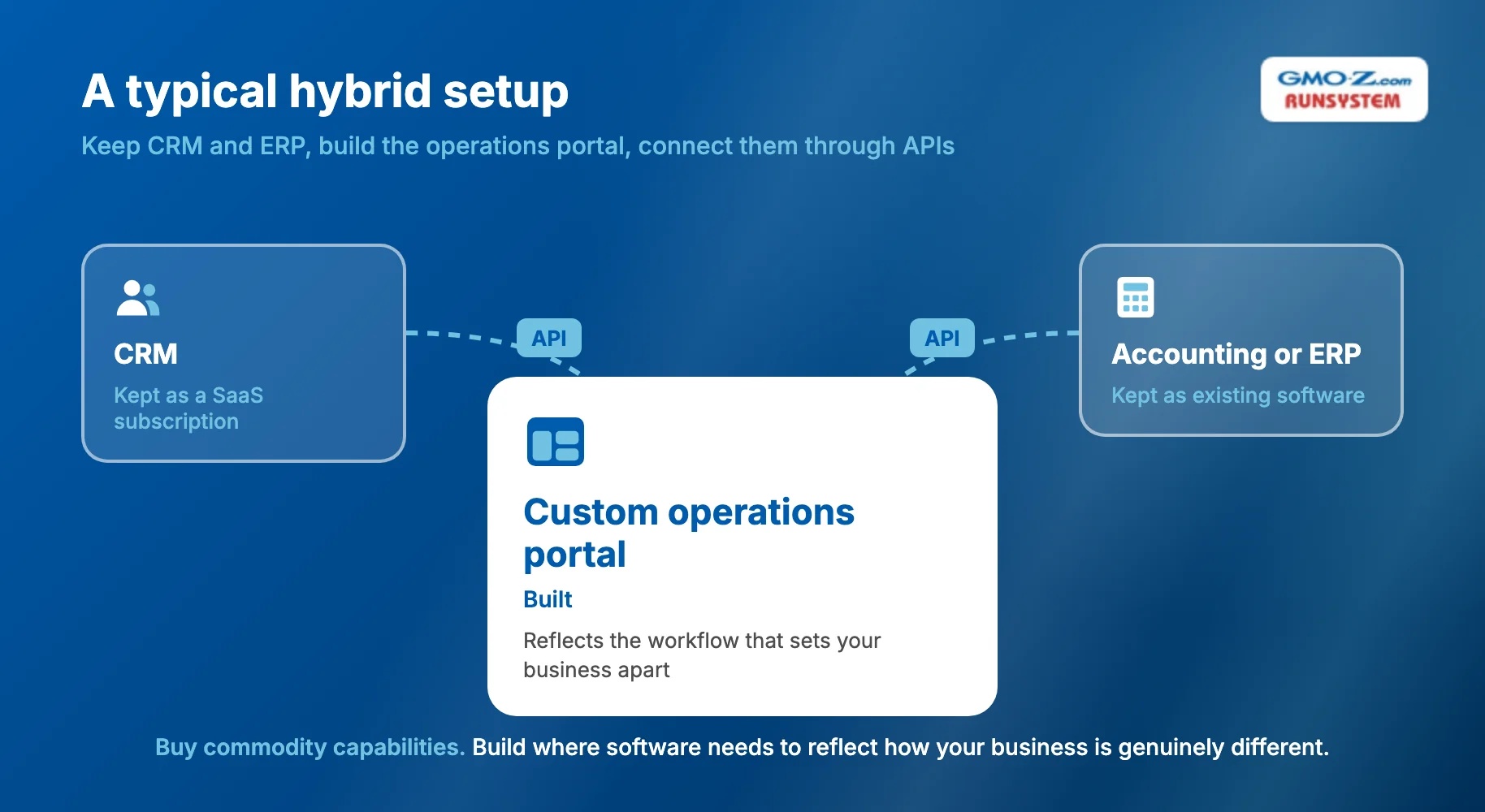
Many mid-sized companies end up combining approaches. In a typical hybrid setup, you:
Buy commodity capabilities. Build where software needs to reflect how your business is genuinely different.
 Back to top
The eight steps below follow your workflow, not a generic software development lifecycle. Whatever baseline you set in step 2 is what you measure against in step 8.
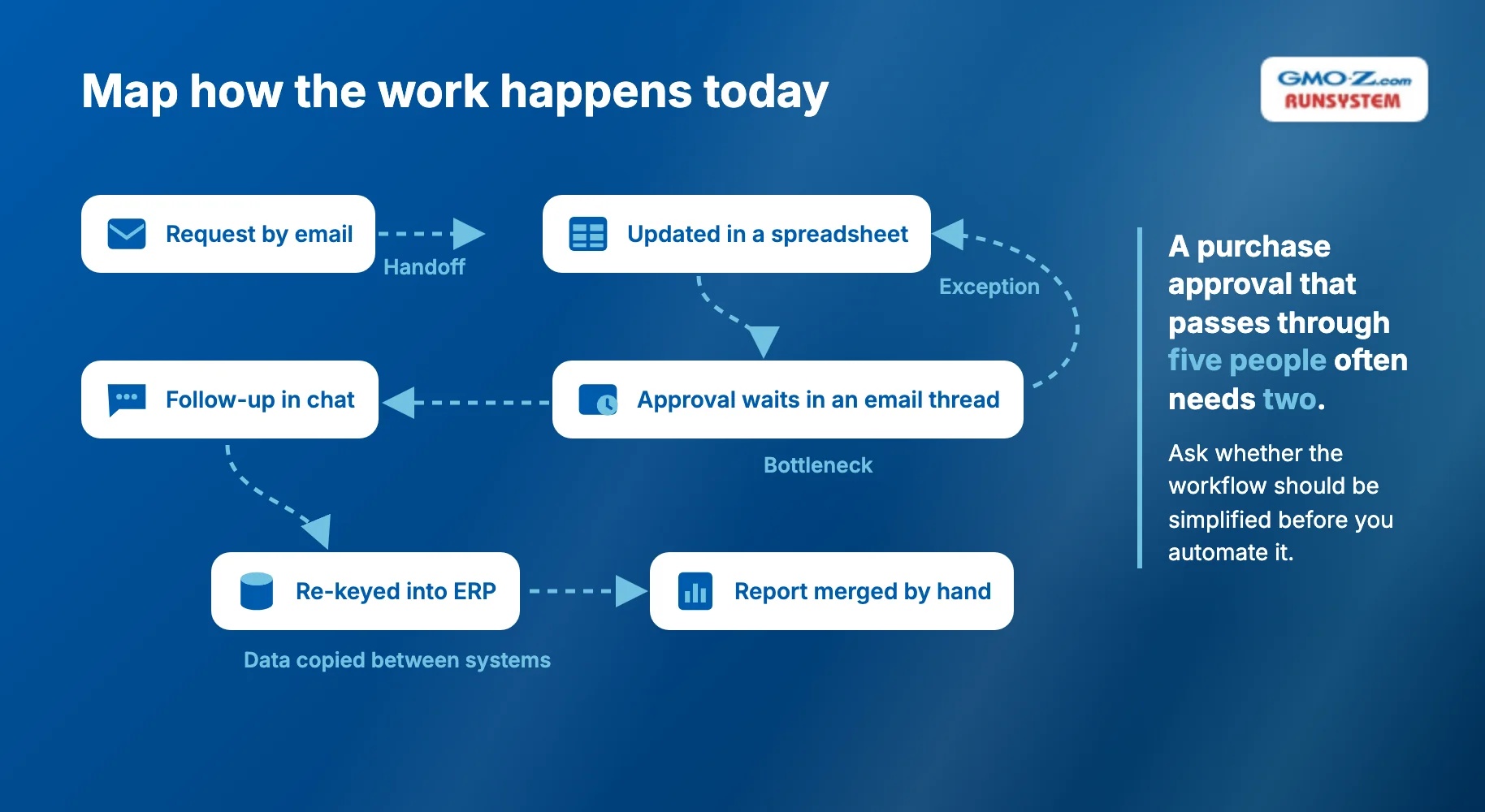
Before you define features, document how the work happens today:
Then ask whether the workflow should be simplified before you automate it. A purchase approval that passes through five people often needs two, and removing three steps on paper is cheaper than building them into software.
Start by documenting what the application has to support:
Sort the resulting features into Must-have → Later → Nice-to-have. At the same time, record the baseline you'll measure against later:
Set target improvements now as well, because step 8 measures the return against these numbers.
Define the core entities (such as orders, customers, and invoices) and how they relate. Then specify the rules that govern them:
Prototype high-risk workflows before engineering starts.
Architecture planning comes down to a handful of decisions:
Choose architecture for your requirements, not because it's popular.
In many business applications, the integrations carry more risk than the application itself. So before you commit to a scope, list every system the app must read from or write to, and confirm that each one has a usable API.
Prioritize the smallest complete workflow that delivers business value. For an expense app, that might be submit, approve, and export to accounting, for one department.
Building every screen and module first leaves users waiting months for a first look. Follow this loop instead:
Build → Test with users → Learn → Expand
Test the full business process, not just individual screens. Cover these test types:
Plan data migration, and choose between a phased and a full rollout. A phased rollout (one team or site at a time) limits the damage if something goes wrong.
You'll also need to prepare:
That retirement date matters as much as the rollout itself. Leave a spreadsheet available alongside the new app, and users tend to fall back on it.
After launch, the work continues in a loop:
Usage → Feedback → Measurement → Improvement
Treat the first release as the start of the application's operational life, not the end of development.
That loop is where many projects stall, often because the vendor's contract ended at launch. If you're weighing partners, ask who will still be measuring results six months after go-live (the day real users start working in the system).
GMO-Z.com RUNSYSTEM offers both business application development and system maintenance and monitoring, so you can keep one partner from requirements through post-launch support. When you compare real results against your step 2 baseline, you don't have to brief a new vendor from scratch.
If your application handles customer or financial data, you also need assurance that the data is protected. RUNSYSTEM holds ISO/IEC 27001:2022 certification, the international standard for information security management. It's also appraised at CMMI Level 3, a benchmark for a defined, repeatable software delivery process.
Back to topA business application succeeds when people use it to complete real work faster and more accurately than before. Many failures trace back to early decisions, not to code quality. Five practices separate the applications people rely on from the ones they bypass.
Strong business applications reflect how work is actually done. Avoid three common mistakes:
Automating a bad process does not automatically make it a good process.
A stakeholder who asks for "an export button" is often describing a missing handoff. Ask what happens to the data after the export; that's usually where the real workflow requirement shows up.
Decide early on the source of truth (the one system whose record wins in a conflict). Then define the rules around it:
Skip this step and your new application becomes one more data silo, holding records no other system can read.
With hundreds of SaaS apps already in the average portfolio, a new system that can't share data cleanly adds reconciliation work instead of removing it.
Business applications usually serve several groups at once: employees, managers, administrators, customers, and partners. Each group needs different access, so build your permission model on three practices:
Permissions bolted on at the end tend to break workflows. That's why this design work belongs early.
Avoid building many disconnected features before users touch the system. Work in short, complete cycles instead:
One workflow that works from start to finish teaches you more than ten half-finished modules.
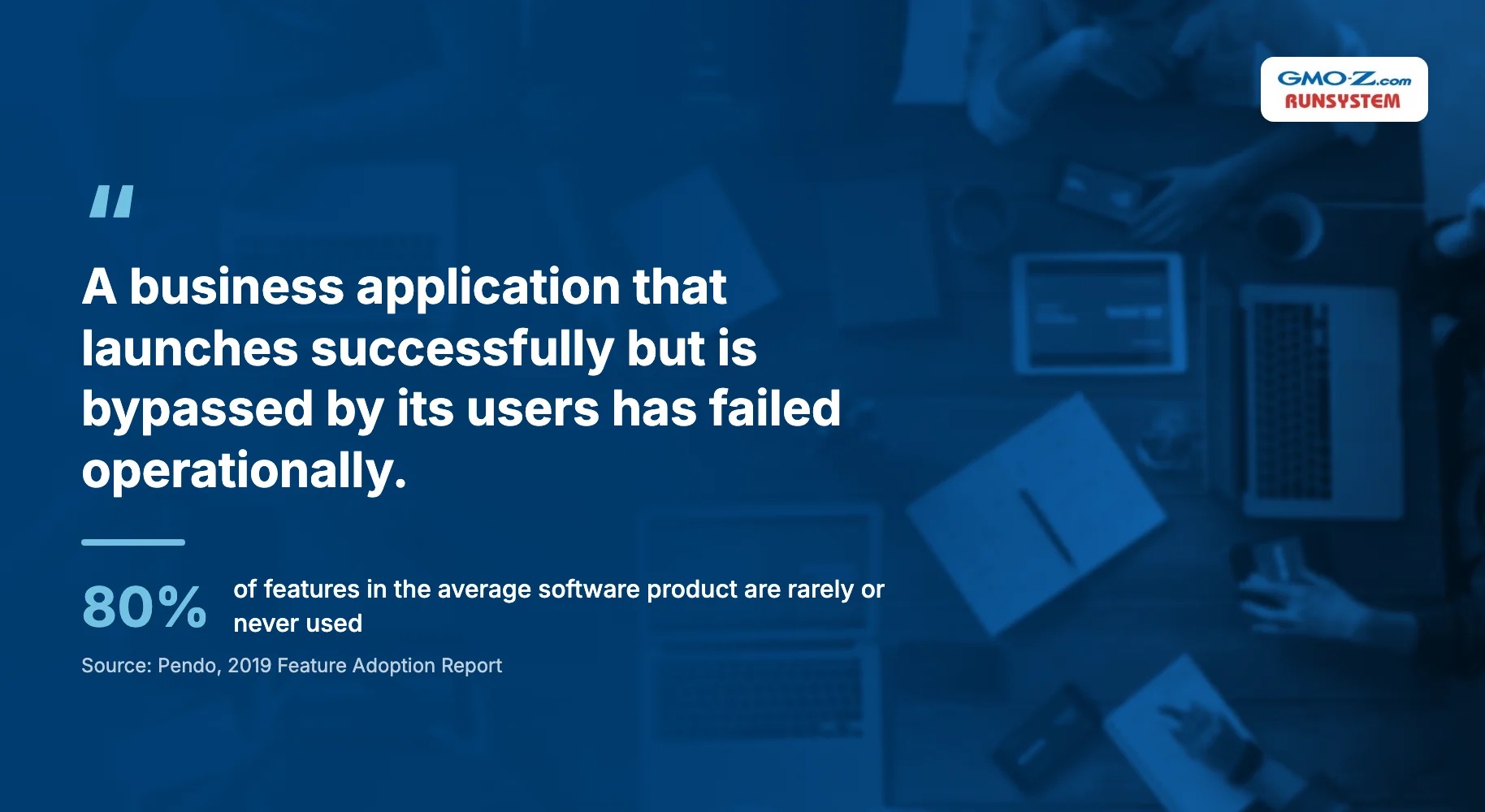
Unused functionality is common. Pendo's 2019 Feature Adoption Report found that 80% of features in the average software product are rarely or never used. So track usage and results together, through indicators like these:
A business application that launches successfully but is bypassed by its users has failed operationally.
 Back to top
Business application cost depends on workflow, data, and integration complexity. Screen count is a weak predictor. Two apps with ten screens each can differ widely in cost when one has three approval rules and the other has thirty, plus four integrations.
These are the factors that drive development cost:
Development effort = Workflow complexity + Data complexity + Integration complexity + Security requirements + Delivery scope + Change effort
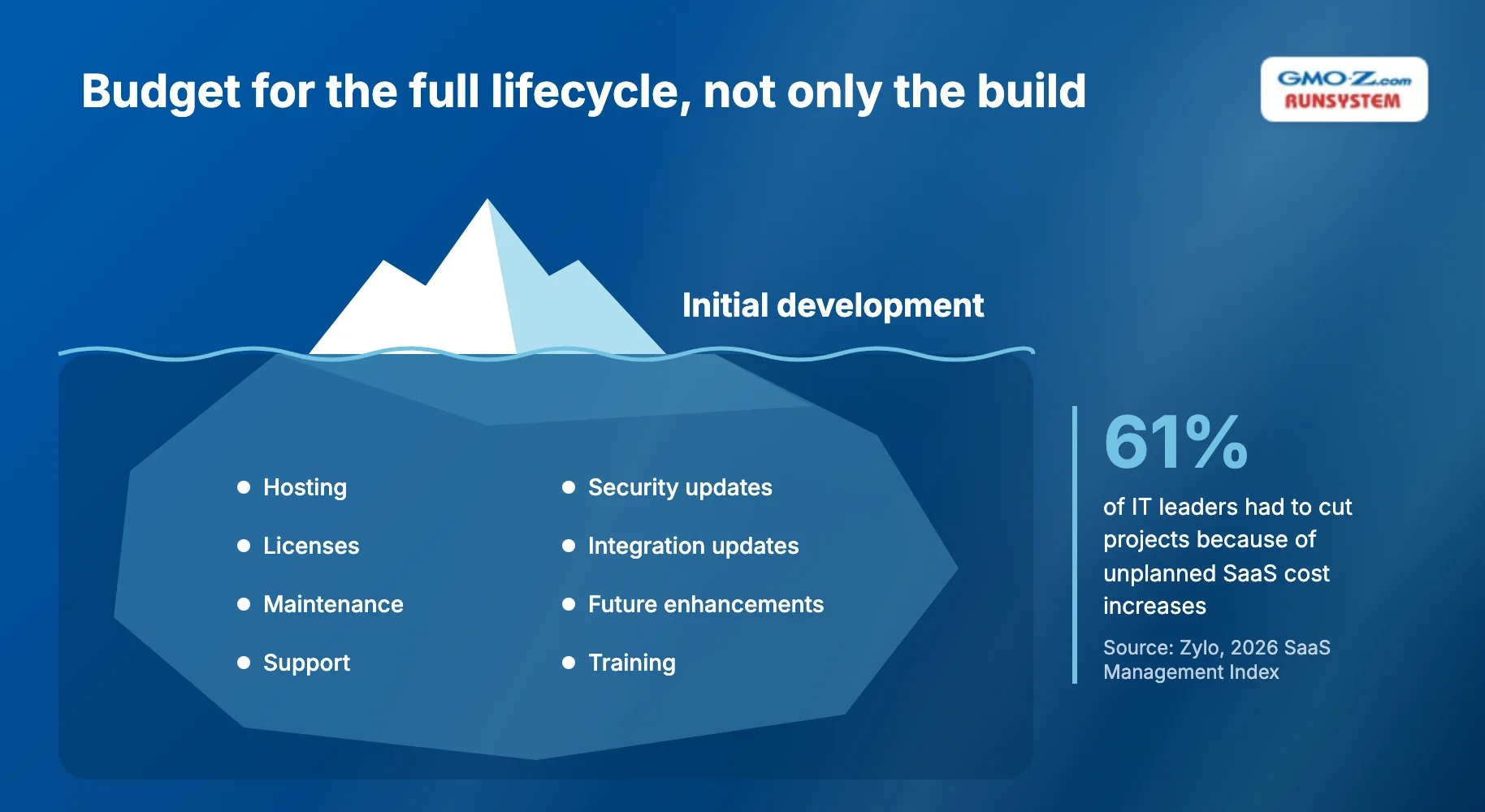
Budget for the full lifecycle, not just the build:
Platform costs can shift, too. In Zylo's 2026 index, 61% of IT leaders had to cut projects because of unplanned SaaS cost increases.
Maintenance, integration updates, and enhancements keep going for as long as the application runs. Plan for them in the business case, not after launch.
Estimate in stages rather than forcing a full-project number before requirements are clear:
Discovery → Scope/architecture → First release → Subsequent releases
Each stage narrows the estimate with facts from the one before, so you commit budget as uncertainty falls.
Back to topChoose a partner that studies your process before it proposes features. The criteria, questions, and red flags below help you test for that.
Look for proven capability in these areas:
Ask for a case where the partner changed or simplified a client's process, not just one where it delivered the requested features.
Put these questions to each candidate and compare the answers:
Watch for these warning signs in proposals:
A partner showing two or more of these signs is optimizing for delivery, not for your outcome.
Back to topSuccessful business application development follows one sequence:
What process is broken → Why it matters → What outcome should improve → What system is actually needed
Only then do you choose: Buy → Configure → Low-code → Custom build. The best business application improves a process that matters and fits how your organization works. People adopt it, and it produces value you can measure.
Still deciding which process to systemize first? GMO-Z.com RUNSYSTEM can work through the requirements and baseline with you. From there, you get a scoped plan for a custom build, low-code delivery, or system migration, built around the outcome you need to improve.
Back to topAn internal tool is one type of business application, built specifically for employees. Business applications can also serve customers, suppliers, distributors, partners, and other external users involved in a business process. A supplier portal, for example, is a business application but not an internal tool.
Yes, when AI solves a defined workflow problem. Common uses include:
Avoid adding AI as a feature without a clear operational outcome, such as fewer manual reviews or faster approvals.
Yes. Modernization keeps valuable business logic while removing technical limitations. It can mean any of the following:
Ownership should be shared. The business or process owner is responsible for workflow outcomes and priorities; the product or IT team is responsible for technical health.
A development partner can provide support, but it shouldn't be the only party that understands the system. That's why documentation and knowledge transfer belong in delivery.
Back to top