Family site
Family site
Family site




Today, CRM applications have become an essential tool for businesses to manage data, streamline sales operations, and improve customer care. In this article, let’s explore with GMO-Z.com RUNSYSTEM how CRM works and which platforms are worth investing in.
Quick summary:CRM applications are software/apps that help businesses:
You should consider implementing a CRM application if you are facing any of the following issues:
|
CRM applications (CRM applications) are web-based or mobile software that enable businesses to manage customer relationships anytime, anywhere. These CRM applications allow companies to track leads, interaction history, sales reports, and automate workflows directly on computers or mobile devices.
Trung Nguyên uses a CRM system integrated with Magento 2 to manage customer data across online sales channels, physical stores, and franchise programs. The system collects information on coffee preferences, purchase history, and customer feedback, enabling personalized promotions, relevant product recommendations, optimized order management, POS integration, and data analytics to support effective international marketing strategies.
Industries commonly using CRM applications: Education, retail, services, and businesses with large customer bases that require centralized management to improve operational efficiency.
Related reading: What is CRM? A Complete A–Z Guide to Customer Relationship Management Software
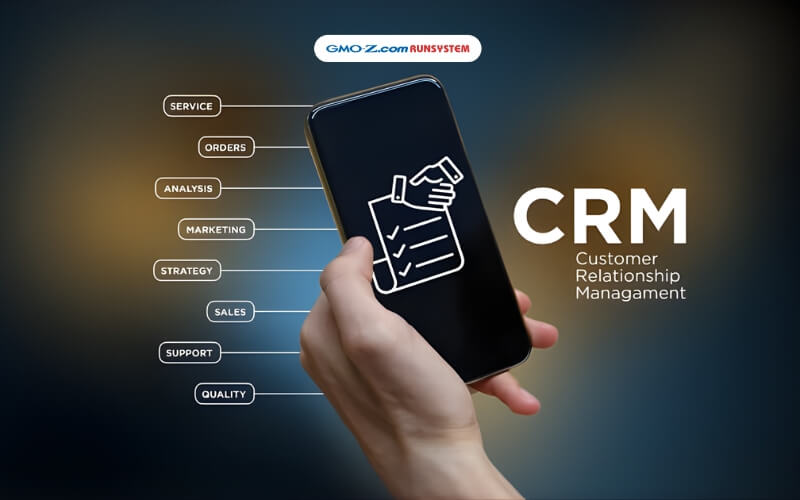
Below are the essential features that modern CRM applications should offer to optimize customer management and drive business performance:
This is the core feature of any CRM application, allowing businesses to collect, organize, and segment customer data for analysis and personalized experiences. As a result, companies can significantly improve marketing effectiveness, sales performance, and customer service quality.
Modern CRM programs automate repetitive tasks such as data collection, reporting, sales forecasting, and process monitoring. This helps save time, reduce human errors, and identify areas for improvement within business workflows.
CRM applications consolidate data from multiple channels, analyze strategy performance, and deliver detailed reports on:
Related reading: What Is a CRM Database? Roles & How to Build High-Quality Business Data
A CRM application helps businesses forecast revenue, compare projections with actual results, and evaluate sales strategy effectiveness. These insights support better planning, optimized targets, and sustainable revenue growth in the future.
Modern CRM applications go beyond sales management by connecting the entire workflow from product and marketing to sales, payment, and customer support. This integration enables seamless operations, prevents data silos, and improves overall management efficiency.
Below are the key criteria businesses should consider when selecting CRM applications that match their size, industry, and operational needs:
A CRM application should be designed to align with a company’s scale, industry, and operating model. Essential features include lead management, sales automation, real-time reporting, and flexible customization. These capabilities help optimize internal workflows, evaluate KPIs, and analyze customer data, ultimately boosting productivity by 20–30%.
The cost of CRM applications is typically calculated per user per month or through annual packages. Businesses should consider the total cost of ownership, including implementation, training, and upgrades. Free CRM apps are usually suitable only for startups due to storage and feature limitations, while paid CRM programs deliver higher ROI by driving revenue growth when fully utilized.
A reputable CRM provider should have proven implementation experience, offer 24/7 support via hotline or email, provide free training, and guarantee 99.9% uptime. Businesses are advised to review customer feedback and case studies to ensure fast and reliable support, especially when integrating popular platforms in Vietnam, such as Zalo or Facebook.
Effective CRM applications should support open APIs and seamlessly integrate with ERP systems, accounting software, email marketing tools, Zalo OA, websites, and Google Workspace. Real-time data synchronization reduces manual work, streamlines workflows from marketing to customer care, and improves operational efficiency by up to 40%.
A CRM app should be fully compatible across platforms (iOS, Android, and web), feature a mobile-friendly interface, support offline sync, and enable push notifications. Sales teams can access data anytime, manage appointments remotely, and respond to customers faster accelerating service speed by 50%.

Below is a list of 6+ CRM applications that are highly rated and suitable for businesses of various sizes and industries.
Best suited for: Businesses of all sizes, both B2C and B2B mespecially those in the BFSI sector (Banking, Finance, Insurance)
Rating: 9.5/10
With over 20 years of experience, GMO-Z.com RUNSYSTEM has delivered thousands of technology projects across Vietnam and Japan, building a comprehensive digital ecosystem that includes OCR Studio, eKYC, AI Chatbots, and Big Data solutions. WOWCRM is a strong CRM application example, showcasing the company’s ability to develop localized, AI-powered CRM solutions that help Vietnamese financial institutions achieve smart and efficient digital transformation.
WOWCRM is a next-generation CRM application designed to optimize sales processes, deliver 360° customer management, and enhance omnichannel experiences. The platform integrates AikoAI, automating sales tasks, enabling intelligent data analysis, forecasting customer demand, and personalizing customer experiences. It is particularly well-suited for BFSI, real estate, and retail industries.
Banks such as ABBank and BAC A BANK have implemented WOWCRM integrated with AikoAI and achieved:
This case study demonstrates that the application of CRM combined with AI not only optimizes operations but also enhances customer experience and creates sustainable competitive advantages in the digital banking era.
Base CRM is a next-generation CRM application that helps businesses drive revenue growth and build long-term customer relationships. The platform operates on a unified model combining three core pillars: Product, Team, and Customer to create a seamless and highly efficient business workflow.
Best suited for: Businesses of all sizes, both B2C and B2B
Rating: 9.5/10
Advantages | Disadvantages |
|
|
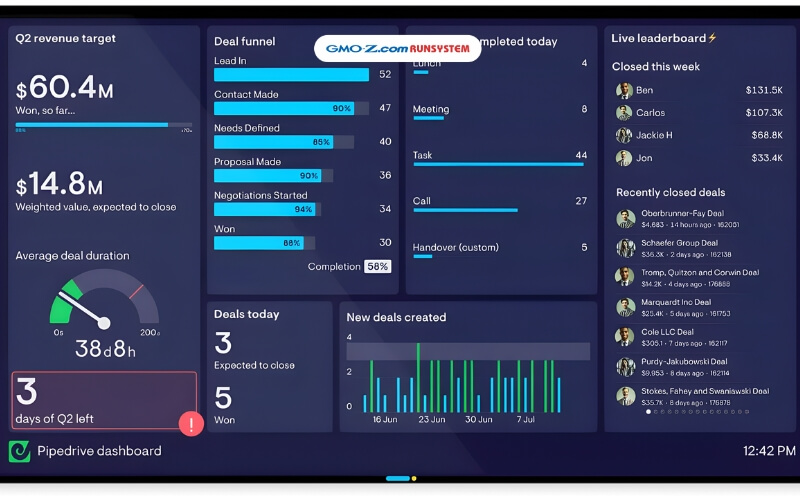
Pipedrive delivers a simple and intuitive CRM application experience, helping businesses track leads, communication history, promotional campaigns, and automate manual workflows. The system also provides detailed evaluations of individual sales performance, supporting sales teams in optimizing their operations.
Best suited for: Small and medium-sized businesses
Rating: 9.0/10
Advantages | Disadvantages |
|
|
Key Features
Sales Team Management: Assign tasks by product, transaction size, or region; automatically allocate leads appropriately; track detailed KPIs (targets, sales, transaction history).
Freshworks CRM stands out for its ability to nurture long-term customer relationships, helping businesses enhance service quality and optimize sales processes. The platform eliminates unnecessary steps, shortens deal-closing cycles, and accelerates revenue growth.
Best suited for: Businesses of all sizes across commercial industries
Rating: 9.0/10
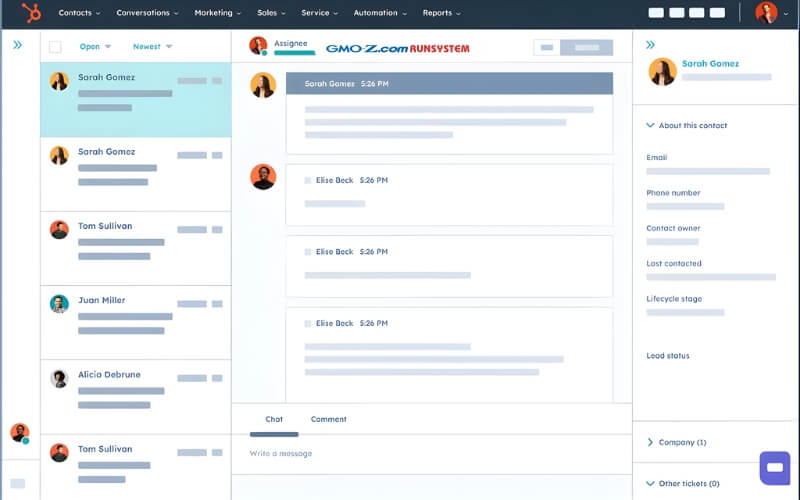
HubSpot CRM is a leading free CRM application, designed with separate modules tailored to the needs of different user groups, including sales managers, sales representatives, marketers, customer support teams, executives, and business owners. The platform provides comprehensive management capabilities without requiring complex installation.
Best suited for: Medium and large enterprises in both B2B and B2C models
Rating: 8.8/10
Advantages | Disadvantages |
|
|
Nimble CRM is a CRM application that helps businesses aggregate data from multiple social networks into a single system, creating a rich data source for consulting, sales, and more effective marketing execution.
Best suited for: Medium-sized businesses
Rating: 8.7/10
Advantages | Disadvantages |
|
|
Quick Comparison Table of CRM Applications
| CRM Applications | Best-Fit Users | Key Highlights | Pricing (USD/user/month, billed annually) |
| WOWCRM | All business sizes, B2C/B2B; especially BFSI (Banking, Finance, Insurance), real estate, retail | 360° customer management, process automation (40% reduction in data entry time), AikoAI demand forecasting, Core Banking/LOS/AML integration, omnichannel experience optimization | Contact provider (custom pricing by project; no fixed public pricing) |
| Base CRM | All business sizes, B2C/B2B; Vietnamese enterprises | End-to-end workflow integration (Product – Marketing – Sales – Customer Service), open ecosystem, easy-to-use dashboard, sales funnel automation, strong CEO/C-level support | From ~VND 450,000/month (basic plan; flexible by package) |
| Pipedrive | Small and medium-sized businesses (SMBs); B2B/B2C sales-focused | Visual dashboard, lead & deal management, workflow automation, detailed performance reports, 350+ integrations (Slack, Gmail), robust mobile CRM app | From $14 (Essential) to $99 (Enterprise) |
| Freshworks CRM | All sizes and commercial industries; B2C/B2B | Omnichannel customer journey management, 24/7 AI chatbot, automatic lead assignment, KPI tracking, ERP & social media integrations, 30+ report templates | Free (basic plan); from $9 (Growth) to $59 (Enterprise) |
| HubSpot CRM | Medium and large enterprises; B2B/B2C, marketing–sales focused | Comprehensive free plan, centralized database, website behavior tracking, advanced sales reporting, free training, email marketing integration | Free (core CRM); from $15–20 (Starter bundles for sales/marketing) |
| Nimble CRM | Medium-sized businesses; B2B social selling | Social media integrations (LinkedIn, Gmail), contact-based database building, email marketing support, simple pipeline management, mobile access | $24.90 (single plan; 15% discount for annual billing) |
In addition to the CRM solutions analyzed in detail above, there are several other widely used CRM applications on the market today, adopted by many Vietnamese and international businesses. These include Salesforce, Zoho CRM, Microsoft Dynamics 365, Odoo CRM, SAP Sales Cloud, SugarCRM, and more. Each of these platforms is a strong option within its respective segment, from large enterprises to small and medium-sized businesses and they are often considered when companies need additional implementation choices or greater flexibility.
Below is a step-by-step CRM implementation process, covering planning, software selection, training, and real-world adoption to help businesses maximize effectiveness.
Set clear goals that the application of CRM is expected to achieve, such as increasing conversion rates, improving customer satisfaction, or optimizing marketing campaigns. Align these goals with KPIs to measure performance and ensure consistency with the overall business strategy.
Select a reputable provider based on features, customization capabilities, scalability, cost, and customer feedback. Compare different CRM applications to identify the system that best fits your business needs.
Develop a detailed plan including timelines, resource allocation, risk management, clearly defined roles and responsibilities, and communication channels with the CRM vendor.
Train employees to use the CRM application effectivel from basic usage for general users to advanced training for managers and IT teams ensuring everyone fully understands key features.
Step 5 – Deploy, Evaluate, and Optimize: Apply the CRM app in real operations, either company-wide or by department. Continuously monitor performance, evaluate results, and optimize workflows to fully leverage the system.
CRM applications help businesses centralize customer data on a single platform, automate sales and marketing workflows, increase revenue by 20–30%, and improve customer satisfaction through personalized experiences.
Key benefits include:
Businesses should implement when they struggle with managing scattered leads, fragmented customer data, manual sales processes, or when they need to improve customer experience to drive revenue growth.
Signs that immediate implementation is needed:
Ideal timing: During growth phases (with 10–50 sales staff) or in highly competitive markets, where CRM helps optimize marketing, manage the full business cycle, and boost productivity.
Businesses need a CRM strategy to manage customer relationships systematically, increase revenue by 20–30%, reduce marketing and sales costs, and build sustainable competitive advantages through centralized data and personalized experiences.
Key advantages:
A strong CRM strategy enables businesses to expand market share, improve service quality, and adapt quickly to changing market conditions.
CRM applications help businesses manage customer relationships efficiently, automate workflows, and optimize revenue. To implement CRM smoothly and fully leverage customer data, businesses can use WOWCRM by GMO-Z.com RUNSYSTEM. This platform integrates intelligent AI, automates sales and marketing processes, and delivers 360° customer management, enhancing customer experience, increasing sales, and optimizing operational efficiency.
Contact us today to experience WOWCRM, a next-generation CRM application designed specifically for Vietnamese enterprises.