Family site
Family site
Family site



What does a CRM system do is a question many businesses ask when looking to optimize customer management and sales processes. With its ability to centralize data, track interactions, and automate critical tasks, a CRM system helps businesses operate more efficiently while enhancing the customer experience. In this article, we’ll explore more than 20 key functions to understand the real value a CRM can bring.
A CRM System Acts as the “Brain” of Your Business
8+ Tasks a CRM Can Handle
|
Here are the main functions of CRM that help businesses manage customers, automate processes, and improve sales efficiency:
A CRM helps businesses store and organize all contact information in a single system, from current customers to potential leads. This allows sales and marketing teams to track interaction history, customer needs, and engagement levels for each individual.
A CRM system also supports:
Real-life example: Bailey International, a leading hydraulic component manufacturer, used a CRM integrated with contact center software to enhance customer experience. They automated call routing, displayed customer information to staff, and stored all call data.
Results: Call response time decreased by 15%, and call abandonment dropped by 60–70%.
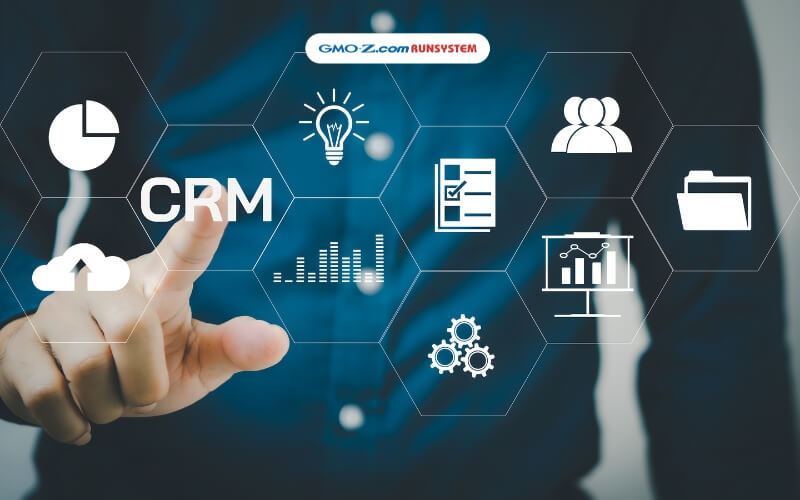
CRM significantly reduces repetitive tasks, including:
Through automation, sales and marketing teams save time on manual tasks, ensure smoother processes, reduce errors, and deliver timely, relevant messages to customers—boosting response rates and conversion.
A CRM helps businesses visually and systematically manage their sales pipeline:
CRMs also provide real-time dashboards, enabling managers to monitor revenue, conversion rates, and individual performance.
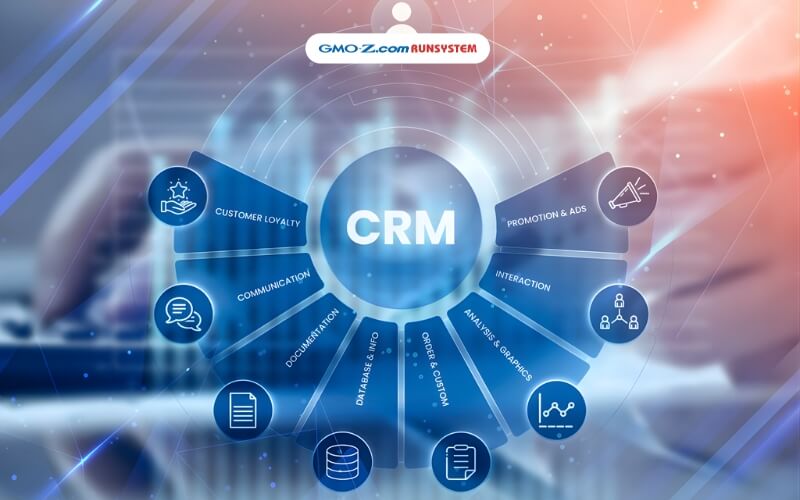
CRM allows businesses to integrate and sync data from multiple channels such as websites, social media, email, hotlines, stores, and chatbots into one system.
This ensures that:
This is the foundation for enhancing user experience, improving satisfaction, and fostering long-term customer loyalty.
CRM supports customer service teams by consolidating all customer information and interaction history on a single screen. This allows staff to:
CRM provides churn analytics, helping businesses detect early warning signs of customer loss.
As a result, support processes become consistent, professional, and deliver a better after-sales experience.

A CRM records all customer, transaction, and sales activity data, helping businesses to:
By leveraging historical data for revenue forecasts and demand predictions, CRM enables businesses to make accurate decisions, optimize resources, and plan effective strategies.
Modern CRM systems provide robust security mechanisms that allow businesses to manage customer data safely and efficiently.
Specifically, CRM systems enable:
These CRM features ensure continuous operations, improve workforce productivity, and maintain a consistent customer experience anytime, anywhere.
All features of CRM software, from customer management and process automation to sales pipeline tracking and customer service, ultimately aim to achieve one core objective: increase revenue while reducing operating costs.
Specifically, CRM helps businesses:
As a result, CRM is not just a customer management tool. It becomes a strategic platform that supports sustainable business growth, clearly demonstrating what CRM can do for your business.
See more: TOP 12+ CRM examples in Vietnam and worldwide
Below are the practical benefits businesses gain when adopting CRM—ranging from revenue growth and improved customer experience to higher operational efficiency.
Here is how CRM delivers value to businesses:
See more: What is a CRM software? A complete A–Z guide to customer relationship management systems
Below is how CRM supports each department, helping sales, marketing, customer service, and leadership operate more effectively:
These outcomes clearly illustrate what do CRM systems do across the entire organization.
Below are the differences in how CRM is implemented across different business models from SMEs and large enterprises to B2B and B2C based on their unique needs and scale.
SMEs often face limitations in resources and budget. Therefore, they need cost-effective CRM solutions that still cover basic CRM functions. These businesses prioritize CRM systems that are easy to deploy and use, with essential features such as customer management, email communication, and sales tracking. The primary goal is to maximize efficiency at a reasonable cost.
Large enterprises usually operate with complex sales processes and multiple departments. As a result, they require a comprehensive CRM system that is scalable, supports omnichannel integration, and includes advanced analytics tools. For these organizations, performance, flexibility, and scalability matter more than cost.
In B2B models, customers are companies or organizations, and the sales cycle is often long and complex. CRM systems must focus on relationship building and enable strong collaboration between Marketing, Sales, and Customer Service teams to improve business outcomes. This highlights the strategic functions of CRM in long-term account management.
In B2C models, customers are individual consumers. CRM systems must optimize personalized experiences to enhance marketing and sales effectiveness. Key CRM features include customer data collection, interaction tracking, and experience management, along with automated email marketing, SMS marketing, and promotional campaigns. These capabilities help businesses retain customers and drive revenue growth.
WOWCRM, developed by GMO-Z.com RUNSYSTEM, is a next-generation CRM solution that helps businesses manage customers comprehensively, optimize sales processes, and enhance omnichannel customer experiences. The platform is integrated with AikoAI, an AI engine that automates tasks, delivers intelligent customer data analysis, forecasts demand, and personalizes interactions. WOWCRM is especially well-suited for the BFSI, real estate, and retail industries.

Answer: Yes. CRM helps small businesses manage customer data more effectively, improve service quality, save time, and increase sales. By centralizing customer information, CRM reduces confusion and automates sales processes. Today’s CRM solutions are also cost-effective and well within the budget of small and medium-sized enterprises.
This clearly explains what does a CRM system do for small businesses.
Answer: Yes. CRM replaces Excel by centralizing customer data, automating workflows, and tracking interactions in detail. At the same time, CRM can integrate with Zalo, allowing businesses to manage and nurture customers directly within the system. Data is synchronized automatically, optimizing communication without relying on separate tools.
This highlights what is a CRM software and the true CRM tools meaning in modern business operations.
Answer: Yes. CRM helps increase actual sales by automating sales processes, prioritizing the right leads, and improving conversion rates. Many studies show that businesses using CRM effectively can increase revenue by up to 30%, while also improving customer retention. With centralized data, automated reminders, and real-time reporting, sales teams can seize opportunities faster and close deals more efficiently.
This is a clear example of what CRM can do for your business.
Answer: Yes. Modern CRM systems allow direct integration with Facebook and Zalo, automatically syncing messages, comments, and customer information into a single platform. Businesses can track leads, manage interaction history, and provide omnichannel customer care from one place without manually handling each platform separately. This saves time and significantly improves conversion rates from social media channels.
This demonstrates what do CRM systems do in an omnichannel environment.
With more than 20 essential functions, businesses can clearly see what does a CRM system do and understand its critical role in customer management, sales optimization, and service experience enhancement.
For companies that want to implement CRM effectively without investing heavily in internal resources, GMO-Z.com RUNSYSTEM’s Customer Relationship Management BPO services provide an optimal solution supporting professional CRM deployment, operation, and performance tracking while saving time and costs.